
Civilian Airports / Wildlife Hazard Management Plan
Wildlife Hazard Management Plan
Assessments, FAA determinations, controlled WHMP versions, reviews, implementation actions, and external strike-reporting status.
Request a demo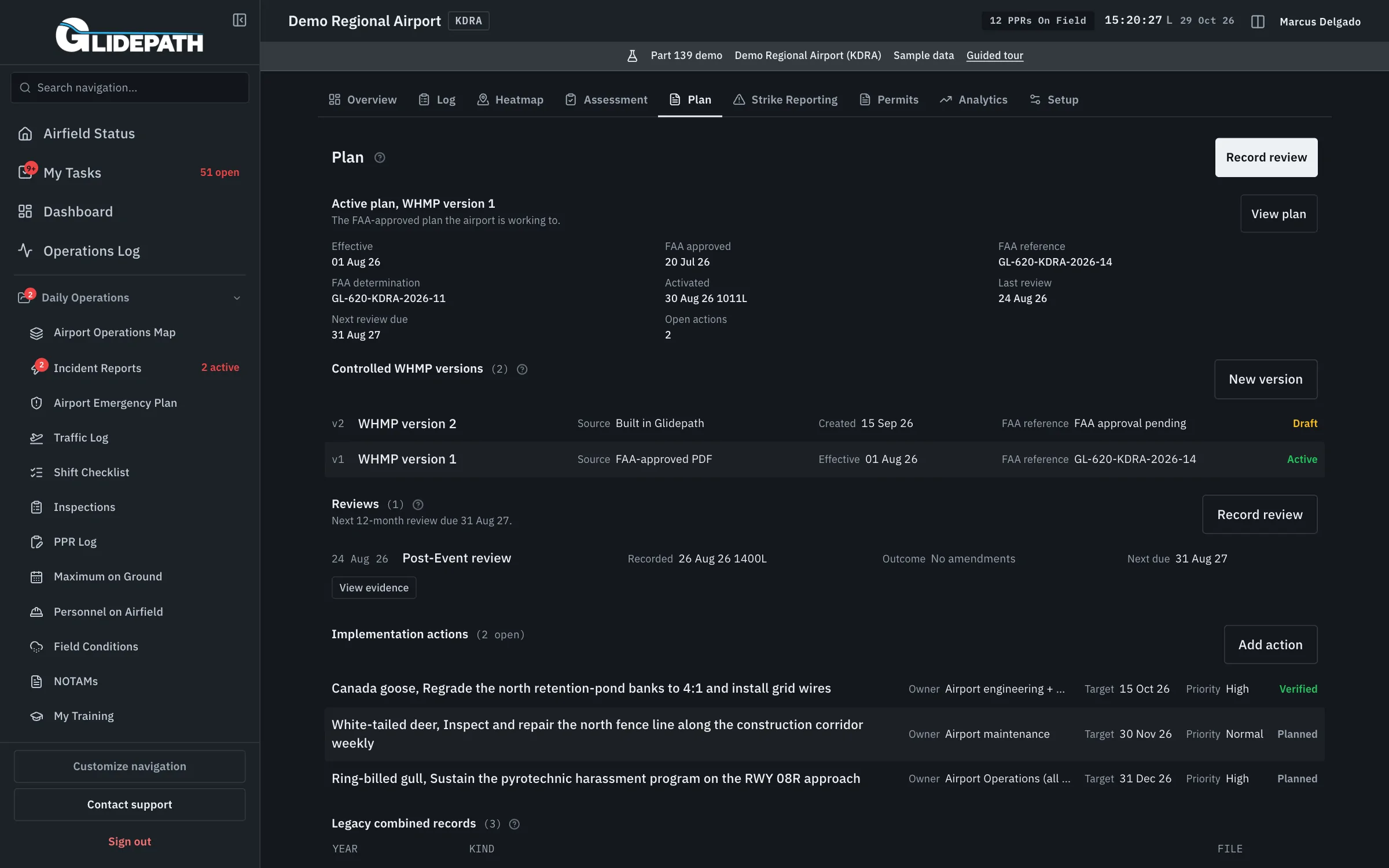
A wildlife record needs a clear path from assessment to action
Sightings and strikes describe activity. A qualified assessment, an FAA determination, and an approved plan each answer a different program question.
The Assessment, Plan, and Strike Reporting tabs in Wildlife Hazard preserve those steps, their evidence, and the work required by the active plan.
Keep each program decision and its supporting evidence
Establish applicability and assessment
Record applicability with its basis. Open an assessment case from a confirmed trigger and retain the qualified biologist’s evidence and submitted report.
Record the FAA determination
Attach the external determination after assessment submission. A software flag does not decide whether the airport needs a plan.
Maintain the controlled plan
Build a WHMP in Glidepath or register an FAA-approved plan. Retain approval facts, effective dates, supporting documents, and superseded versions.
Review, act, and document reporting
Record periodic and post-event reviews against the active plan. Assign and verify implementation actions, prepare Form 5200-7 packages, and record external submission status.
What it automates
The approval basis is traceable
The active version connects to recorded FAA approval and the determination behind the plan.
Reviews retain continuity
Reviews and implementation actions remain attached to the plan without creating a new assessment for each year.
Reporting status is visible
Strike preparation and external submission facts stay connected to the logged strike.
Straight answers
Is a WHMP required for every airport?
Applicability depends on the assessment and FAA determination. Glidepath records those facts and keeps an undetermined program visible as a gap.
Does Glidepath approve a wildlife plan?
No. The airport records the FAA’s approval and its supporting evidence before activating the plan.
Does Glidepath submit strike reports to the FAA?
No. It prepares Form 5200-7 information and a printable package. The airport submits through the authorized external channel and records the resulting status.
Where is this program in the app?
Within Wildlife Hazard, under Assessment, Plan, and Strike Reporting. Daily sightings and strikes remain in the field activity tabs.
Connected modules
Wildlife Hazard
Wildlife hazard management: sightings, strikes, and trend visibility.
SMS
Safety Management System: hazard reporting, risk assessment, and safety assurance in one closed loop.
Certification & ACM
The approved manual, requirement mappings, evidence, corrective actions, and inspection readiness in one workspace.
Records Export
Records retention and disposition exports, inspection-ready.