
Civilian Airports / Certification & ACM
Airport Certification & ACM
The approved manual, requirement mappings, evidence, corrective actions, and inspection readiness in one workspace.
Request a demo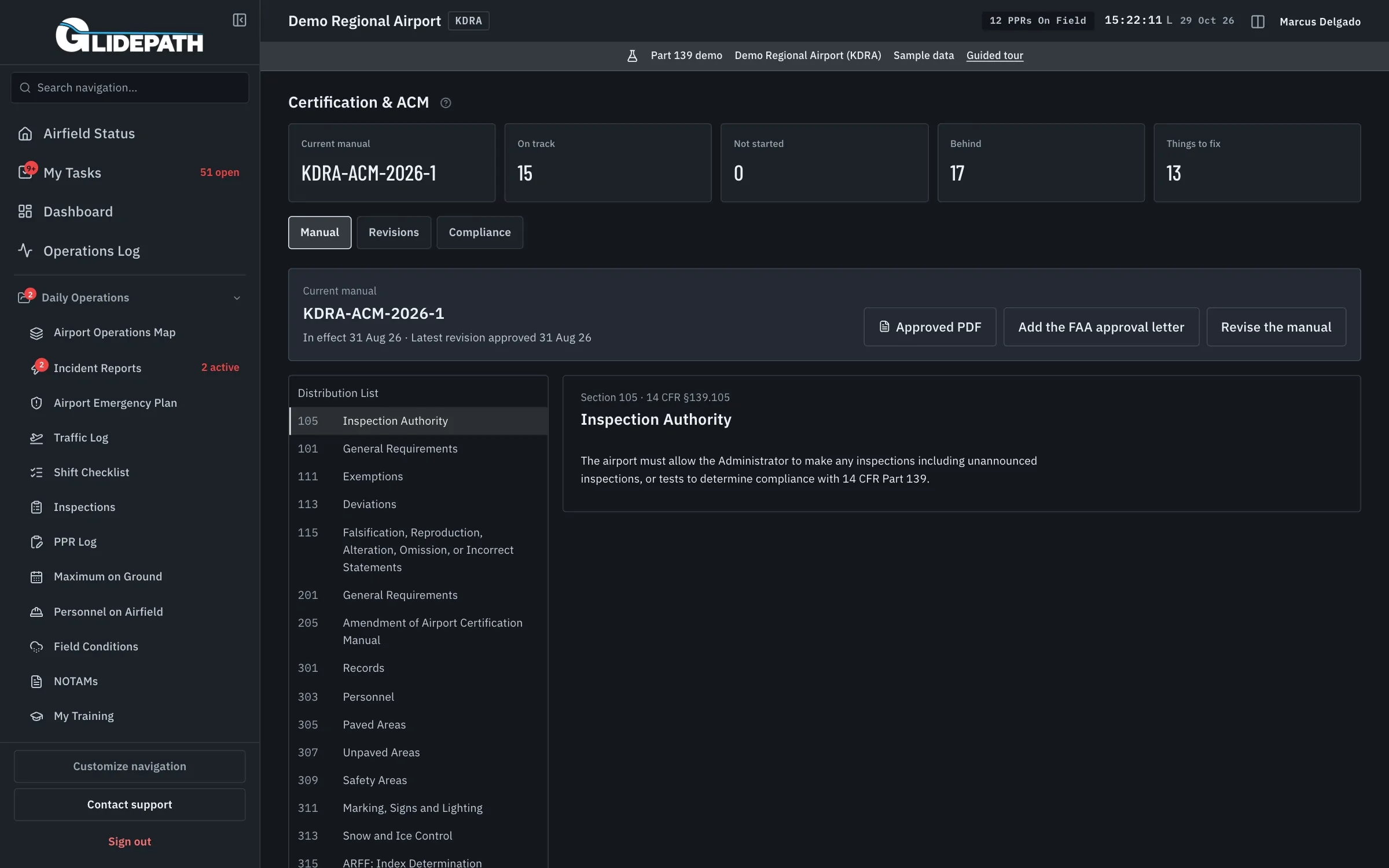
Readiness starts with the approved manual and its evidence
A current manual, an accepted piece of evidence, and a closed action answer different questions. The certification workspace puts them against the same requirement so the airport can see what is supported and what still needs attention.
Unknowns stay visible as gaps. A readiness indicator supports the airport’s review; it is not an FAA approval or a guarantee of compliance.
From a requirement to a traceable inspector package
Control the ACM version
Keep the manual version and its approval record together. Review requirement applicability against the airport’s certification basis.
Map requirements to evidence
Connect an applicable requirement to the relevant manual section and supporting records. Review accepted evidence and retention in the same workspace.
Work the gaps
Use compliance actions, the requirement map, due alerts, and field-performance views to follow missing, overdue, or unresolved items.
Assemble the inspection package
Bring the reviewed manual, requirements, evidence, and actions into a traceable package for an inspection. Unresolved gaps remain identified.
What it automates
A controlled manual
Version history gives the team an identifiable ACM basis for its review.
Evidence with context
See which requirement a record supports instead of treating uploads as proof by themselves.
Gaps remain visible
Missing and unknown records are separate from complete requirements.
Straight answers
Is this the same as Certification Self-Inspection?
No. Certification & ACM manages the manual, requirements, evidence, and readiness over time. Certification Self-Inspection is the structured internal readiness audit.
Does a complete indicator mean the FAA has approved compliance?
No. It reflects the evidence and review state recorded in Glidepath. Airport decisions and FAA approvals remain with the responsible authorities.
Can we follow deadlines and corrective actions?
Yes. The workspace includes compliance actions, a requirement map, due alerts, and field-performance views alongside the ACM and inspector package.
Connected modules
Certification Self-Inspection
Annual certification inspection readiness: self-audit, findings tracked to closure, a filed record.
Self-Inspections
Daylight, nighttime, continuous surveillance, periodic condition, and special inspections with a shared due-work queue.
Records Export
Records retention and disposition exports, inspection-ready.