
Military Airfields / Aviation Weather
Aviation Weather
Optional METAR and TAF weather feed on the status board, dashboards, and kiosk, with decoded observations and refresh status.
Request a demo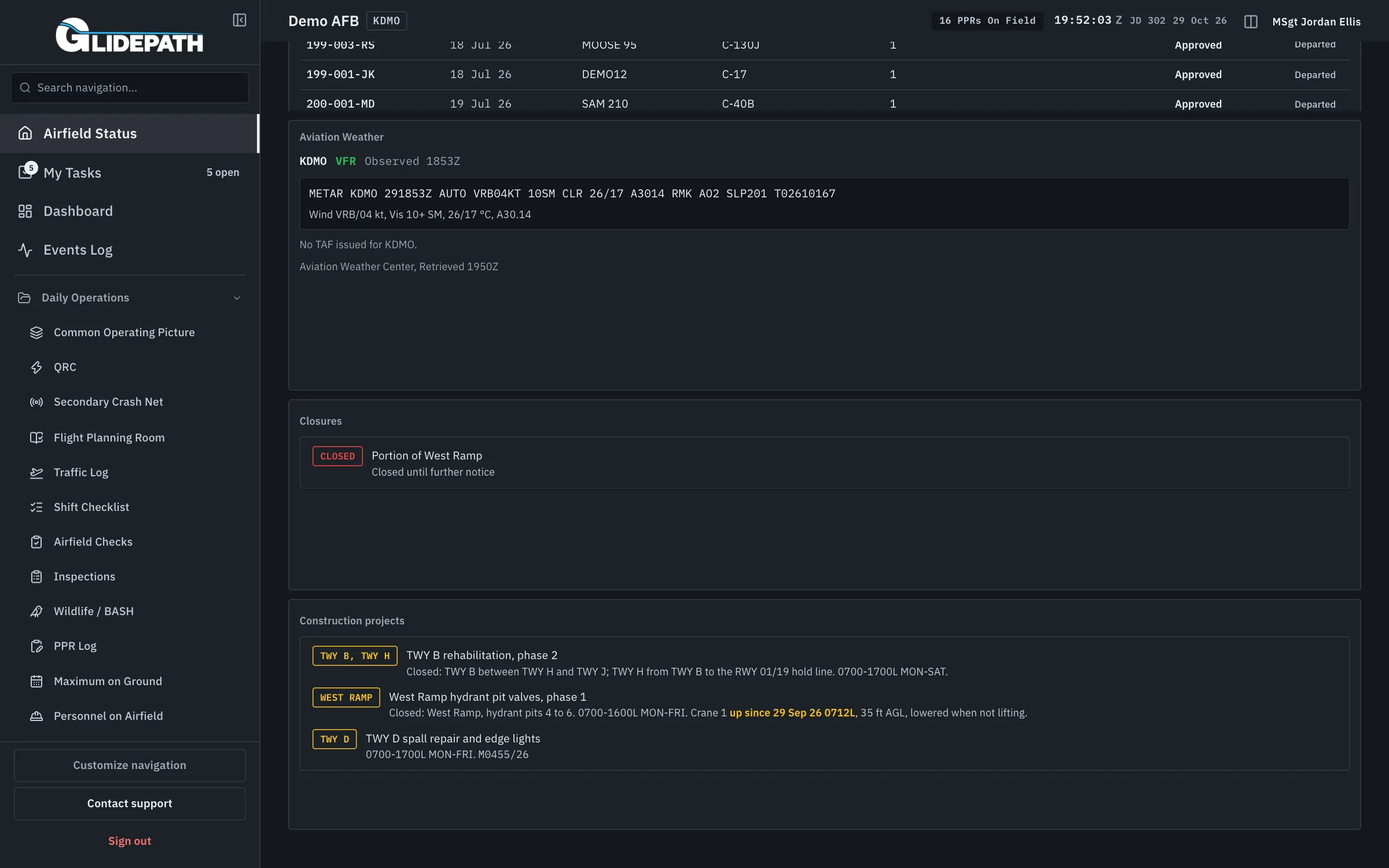
Keep the station weather beside the operating picture
The operations team needs to read the station observation and forecast alongside airfield status. The source, issue time, and refresh state matter as much as the weather itself.
Aviation Weather is optional per installation. When enabled, it displays available METAR and TAF products from the Aviation Weather Center using the configured ICAO station.
Enable the feed and place it where the team works
Choose the installation station
An administrator enables Aviation Weather for the installation. Its configured ICAO identifier selects the station; product availability depends on that station.
Read the observation and forecast
The status panel pairs the raw METAR with decoded wind, visibility, clouds, temperature, and altimeter information. The TAF retains its forecast change groups and issue time.
Share it across displays
Place the weather section on Airfield Status, add a dashboard widget, or read the products on the kiosk conditions board.
Check freshness
The feed refreshes on a five-minute schedule. Delayed refreshes, ended forecast validity, and missing station products are labeled; the last available snapshot is not presented as a new observation.
What it automates
Weather has context
Read the station products beside the runway and operational status they help the team interpret.
One source across displays
The status board, dashboard widget, and kiosk use the same installation feed.
Availability stays explicit
A missing METAR or TAF stays visible as unavailable, with no invented observation.
Straight answers
Is Aviation Weather enabled everywhere?
No. It is an opt-in feature, off by default, enabled separately for each installation.
Does this have its own app page?
It appears on the status board, in a dashboard widget, and on the kiosk conditions board. This page explains those connected views.
What happens if the feed stops refreshing?
The status panel keeps the last successful snapshot and labels delayed or failed refreshes. Missing products and forecasts past their validity are identified.
Does every ICAO station provide both products?
No. A station may have no current METAR or no issued TAF. Glidepath shows that absence explicitly.